

Redesigning The Urban League Website
Improving Access to Community Resources
Overview

The Urban League of Springfield provides critical community programs, services, and resources—but its website made those resources difficult to access.
Rather than supporting users, the experience created friction. It was outdated, hard to navigate, and not designed for accessibility or varying levels of digital literacy. This disproportionately impacted users who relied on it most, especially older adults and first-time visitors.
Through early stakeholder conversations and site analysis, I reframed the website not as an informational hub, but as a three-audience system serving distinct needs:
Volunteers trying to find ways to get involved
Program Participants looking for services and support
Donors seeking to understand impact and contribute
This reframing became the foundation for the redesign.
Framing the Problem
This was not just a visual redesign problem. It was about structure, clarity, and trust.
I broke the problem down into a few key questions:
How do people with different levels of digital literacy navigate this site?
What are users actually trying to find when they come here?
Where does the current structure break down?
What makes people trust or not trust what they are seeing?
Research & Discovery
To answer these, I used a mixed-methods approach so I could understand both behavior and intent:
Accessibility audit (WCAG 2.2)
to identify concrete usability and compliance issuesUser interviews (9 participants, ages 18–75)
to understand how different people approached and experienced the siteCard sorting (23 participants)
to understand how people naturally group and expect information to be organized
This mix of methods allowed me to compare how each group approached the same system differently, and where those experiences broke down.
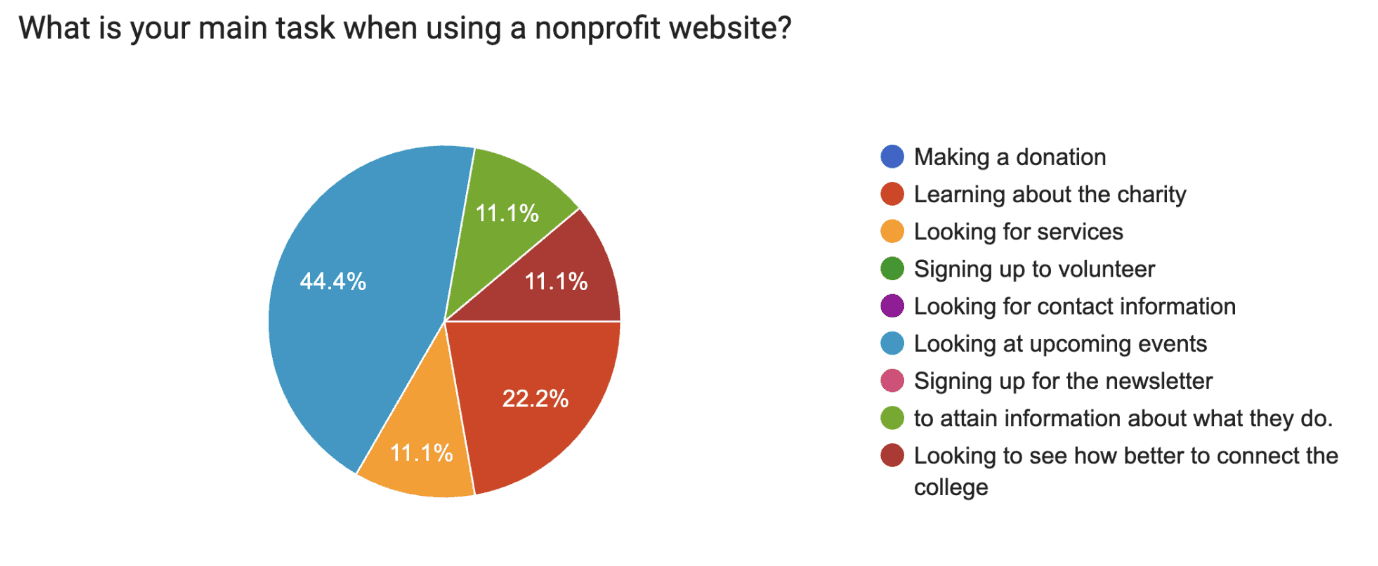
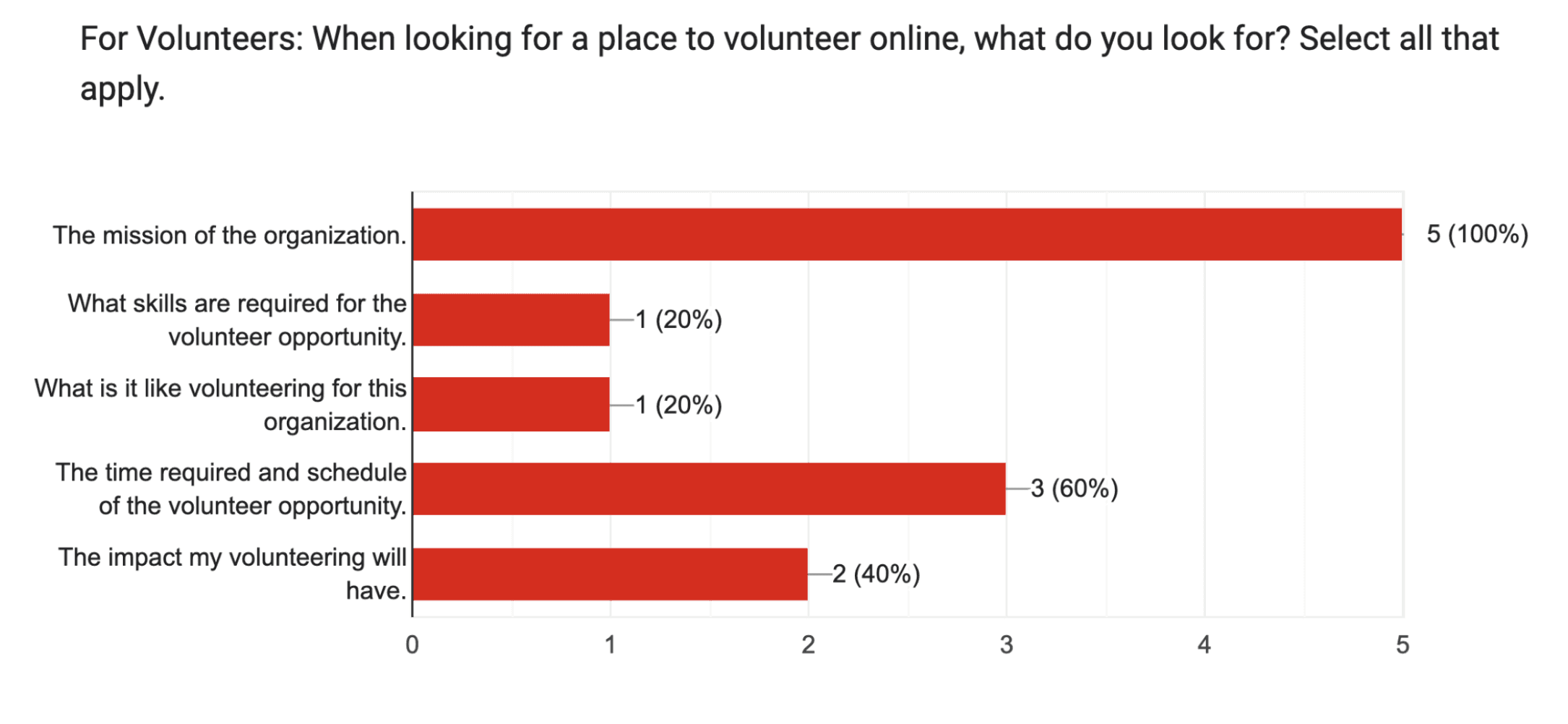
Results from the user survey showed that visitors to the site were mainly looking for the mission of the organization, and looking to make donations
Based on this data, we also sorted all of the data into three major user groups:
Volunteers,
Program Participants
Donors
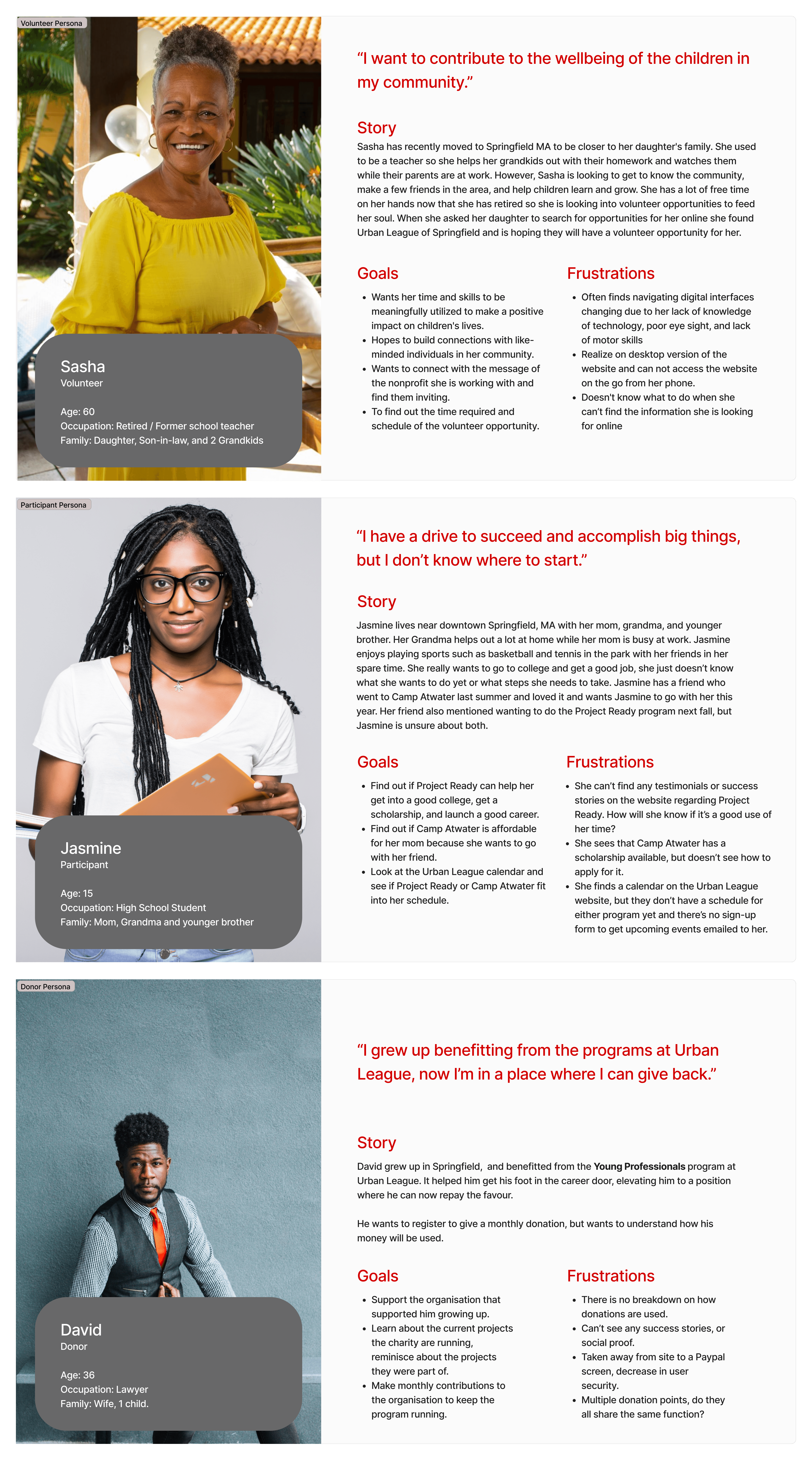
Across the many profiles, these were key:
1. The issue was not content; it was structure
The website already contained valuable information, but it was poorly organized, difficult to navigate, and hard to interpret.
2. Accessibility needs varied across user groups
Older adults consistently need:
Larger, more readable text
Clear and predictable navigation
Familiar interaction patterns
3. Trust and clarity were universal
Across all participants, users wanted:
Up-to-date, accurate information
Transparency about services
Confidence in the organization’s credibility
Results from the user survey showed that visitors to the site were mainly looking for the mission of the organization, and looking to make donations
Solution Design
I worked on the redesign around three guiding principles: accessibility, clarity, and trust.
Accessibility
Content should be easy to read and interact with for all users.
High-contrast, WCAG-compliant color system
Larger, more legible typography
Clarity
Users should be able to find what they need quickly and without confusion.
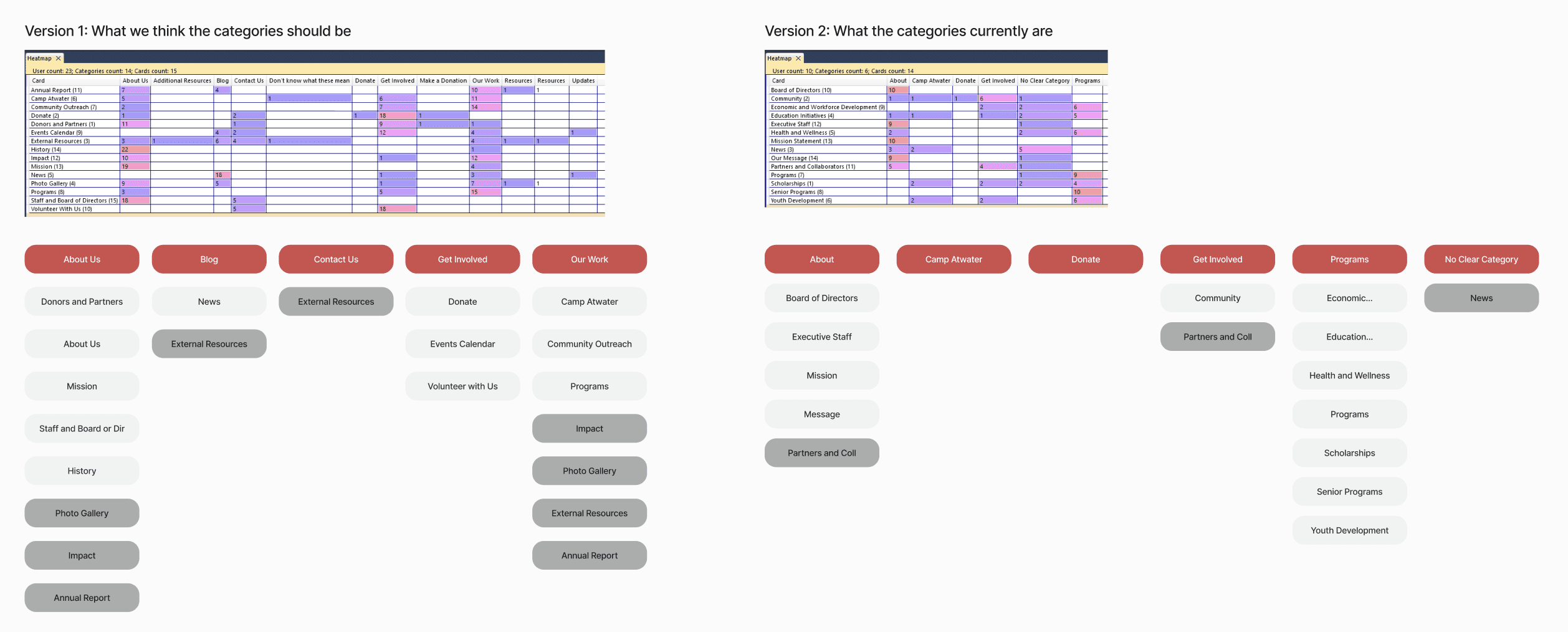
Restructured information architecture based on card sorting insights
Simplified navigation to reduce cognitive load
Trust
The experience should reflect the organization’s mission and credibility.
Clear content hierarchy
Story-driven elements like testimonials and impact narratives
What I Designed
1. Simplified Navigation System
I reorganized content to align with user mental models, making programs and services easier to locate and understand.
2. Accessible Design System
I developed a reusable design system to ensure:
Consistency across the site
Faster iteration
Long-term sustainability for a resource-constrained nonprofit
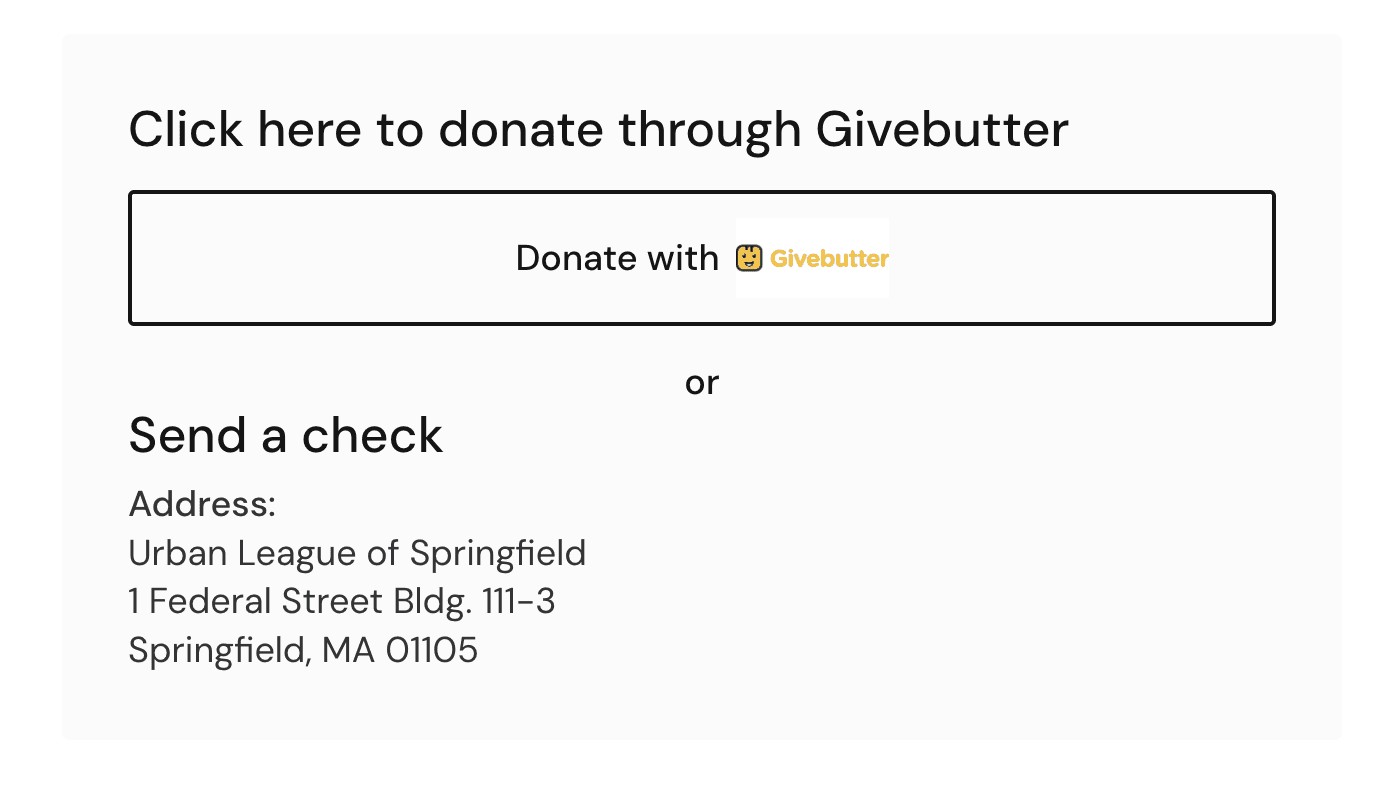
Screen from donation flow giving the option to send a check, as well as go through the online donation process
3. Story-Driven Content Strategy
I incorporated testimonials and impact-focused content to:
Build emotional connection
Reinforce credibility and trust
Together, these changes transformed the site into an experience that is easier to navigate, more inclusive, and more aligned with the organization’s mission.
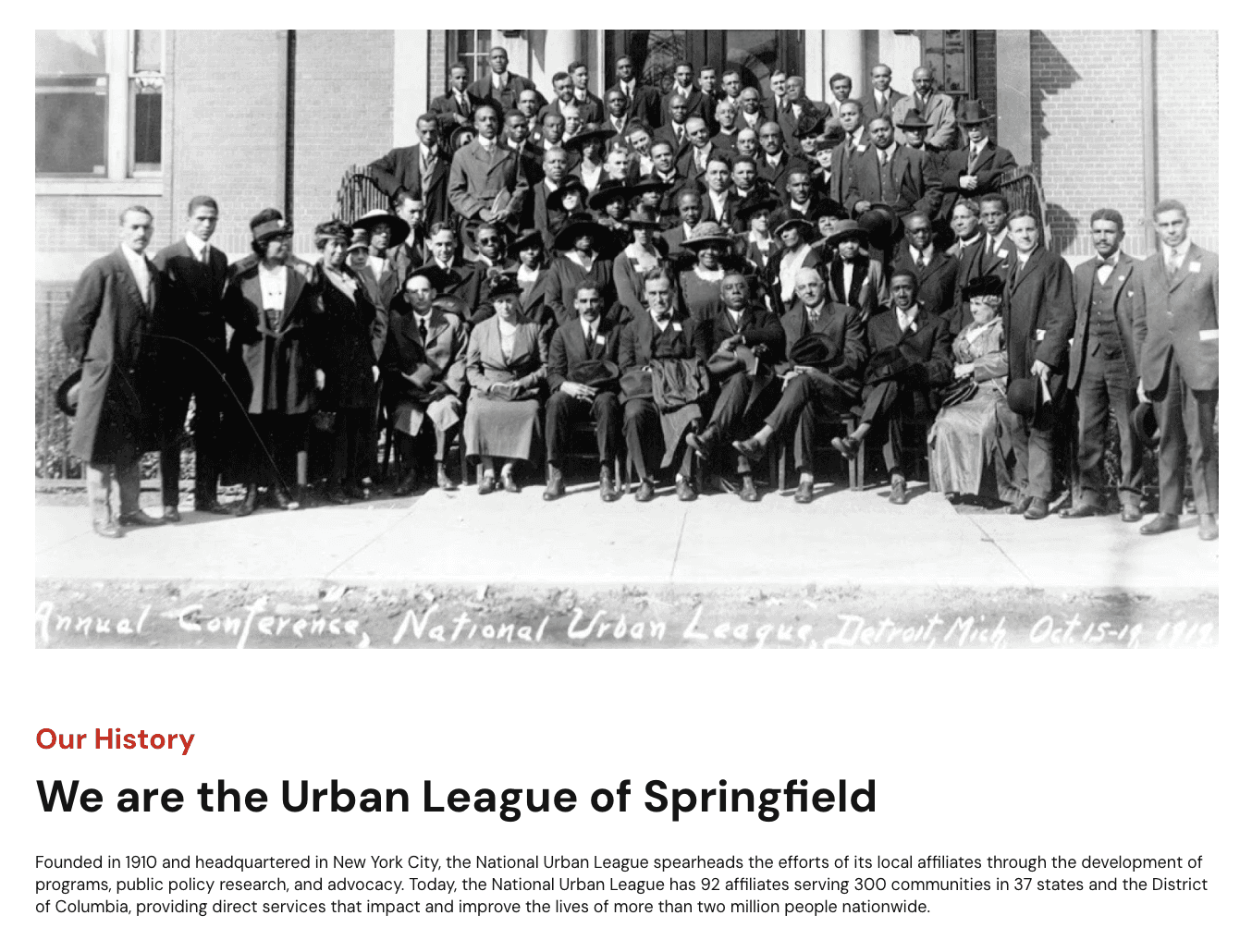
Screen cap from the “About us” page showing the urban leagues' rich and long history in Springfield
Validation
To evaluate the effectiveness of the redesign, I conducted:
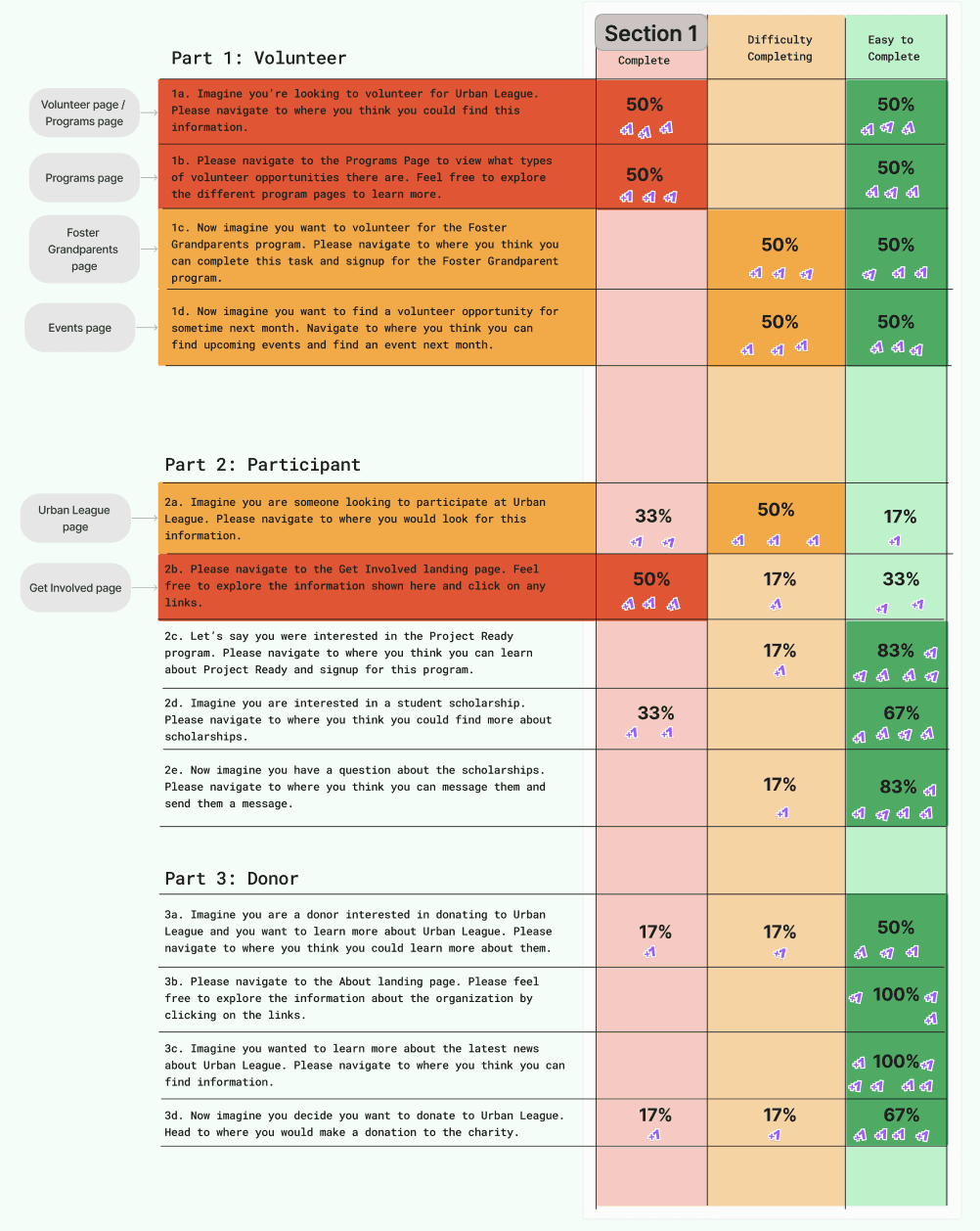
Usability walkthroughs with interactive prototypes (5 participants)
Feedback sessions with stakeholders and representative users (~4 participants)
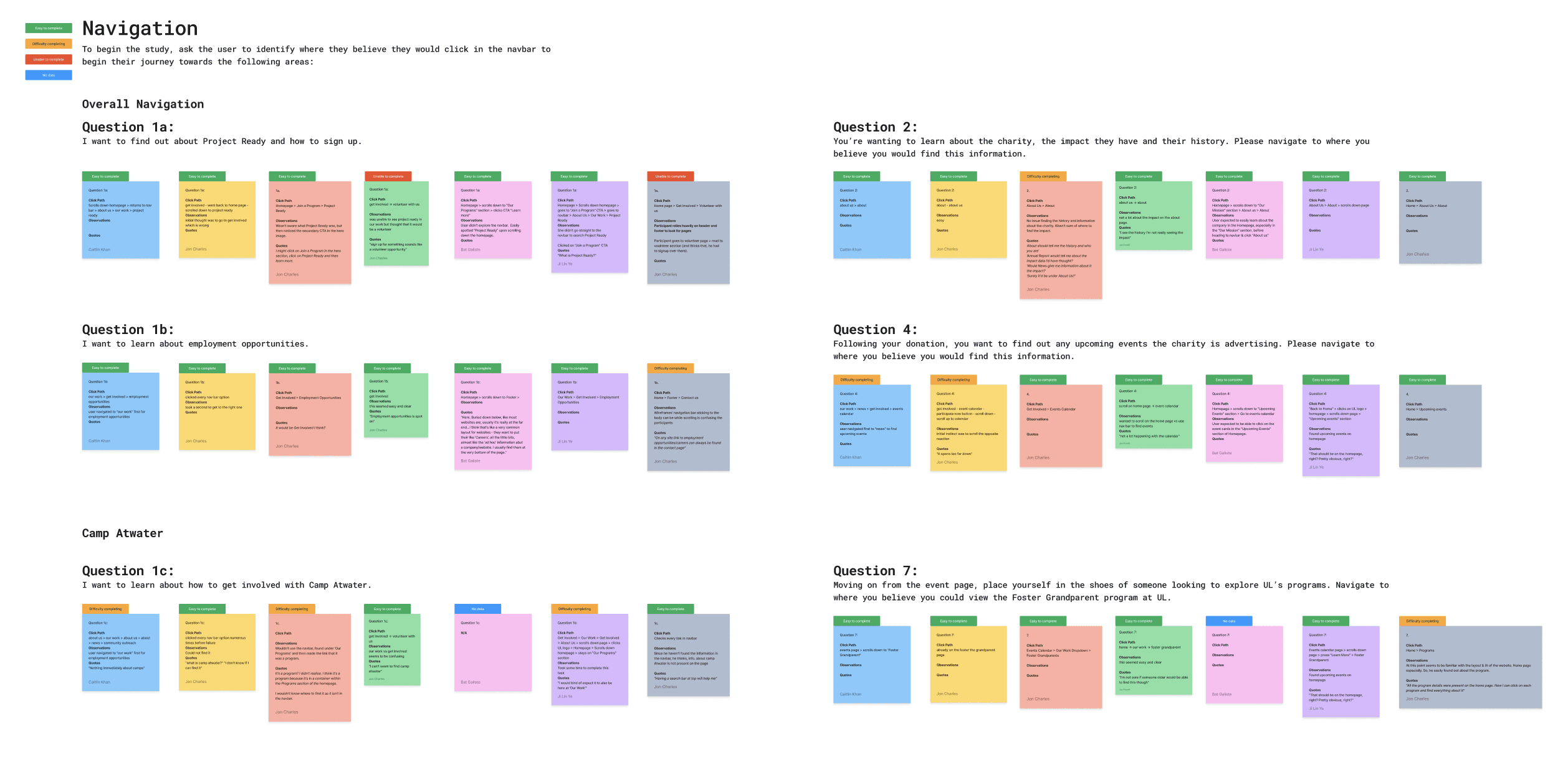
Navigation data from the last round of testing, including a rating of how hard or easy it is to navigate the flows
Findings
Users navigated the site more easily
Content was clearer and easier to understand
Users felt more confident interacting with the site
Results
Before, the website made it harder for people to access important resources.
After the redesign, it became a more usable, accessible, and effective tool.
Some key outcomes:
25% increase in design efficiency thanks to the design system
Easier access to programs and services
Clearer communication of the organization’s mission and impact
Most importantly, the site shifted from being a barrier to being a bridge.
Reflection
This project challenged me to design for a wide range of users with different needs, expectations, and levels of digital literacy. I was also a volunteer lead on a project with a team that spanned across the world, from the US to New Zealand. Working strange hours due to time zones was challenging, yet I found my team brought such engagement to the project that I was always happy to wake up early.
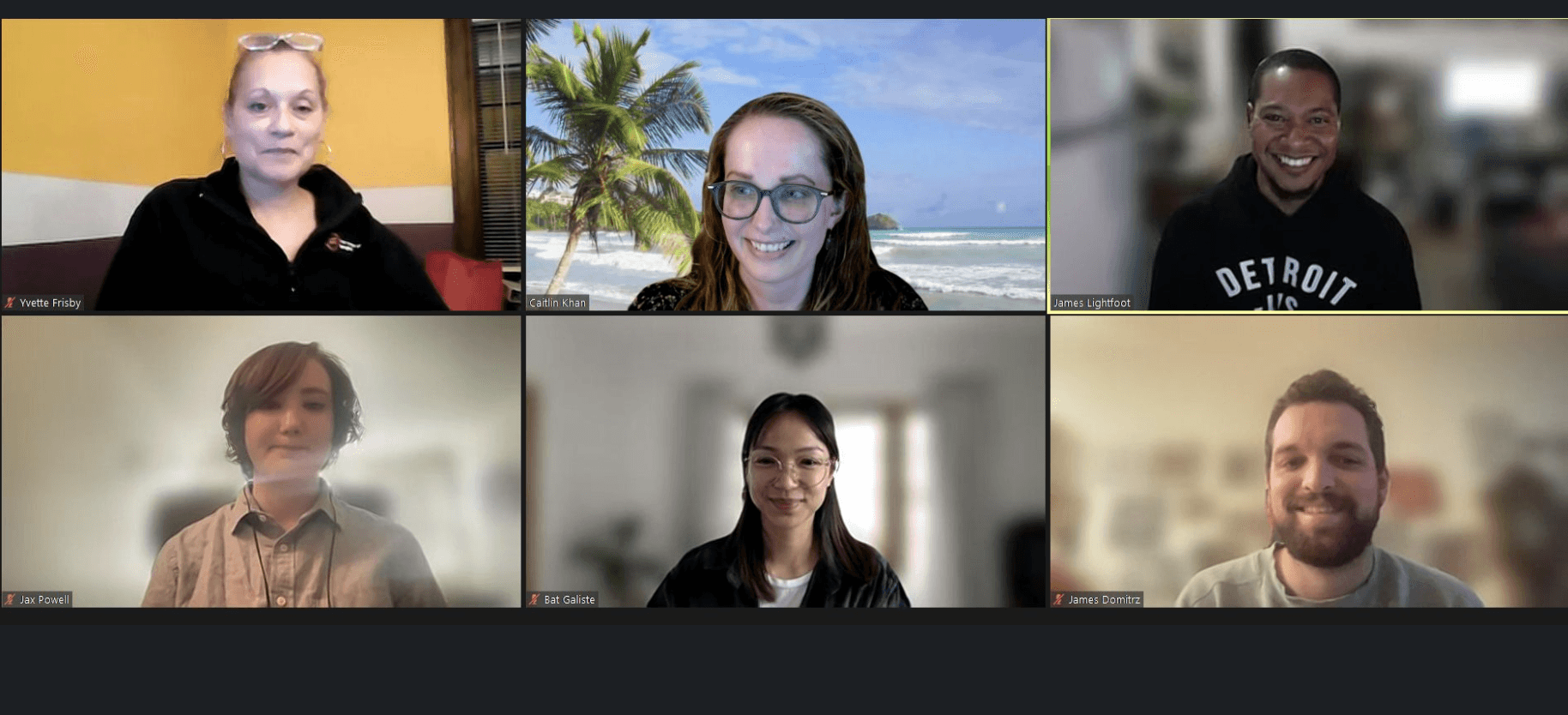
Zoom call with our team, design and research team, along with our stakeholders at the UL
If I were to continue this work, I would prioritize post-launch research to better understand long-term engagement and community impact. Expanding testing across devices and user groups would also help validate how the experience performs in real-world contexts.
I learned:
Good design is not about adding more. It is about making access easier for the people who need it most.